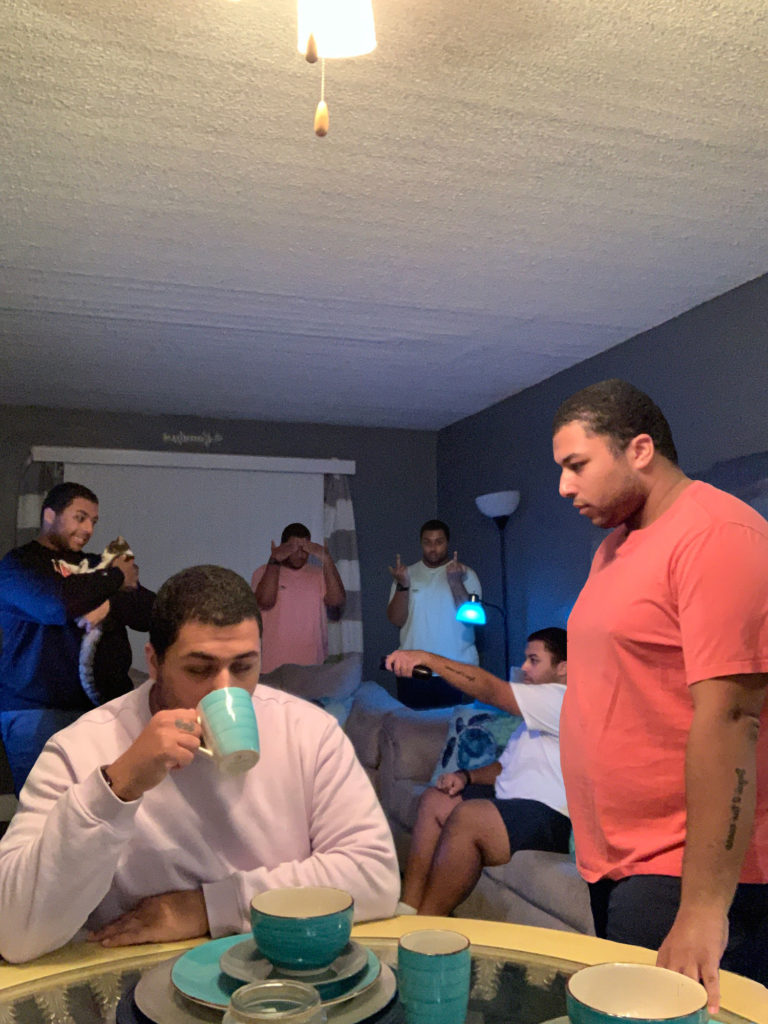
TITLE: Multiplicity
MEDIA: Digital Illustration
SOFTWARE: Adobe Photoshop
HARDWARE: MacOS
SPECIFICATIONS: 1500X2000px, 72DPI
CLASS: FMX 210 Digital Media
PROFESSOR: Santiago Echeverry
SEMESTER / TERM: FA 21
INSTITUTION: University of Tampa
LINK: https://mjb7261.blogspot.com/2021/11/multiplicity-photoshop.html
DESCRIPTION: “Multiplicity” is an illustration done in Adobe Photoshop. I took several photos of myself throughout my friend’s living room and put them all into one singular photo. I propped up my camera against a bowl on the kitchen table and using the timer setting on my phone got into the various positions. The key to this assignment was never moving the phone or changing the lighting in the room so I tried hard to not nudge the phone by accident. After the photos were taken, I imported them all into Photoshop where I used masking and layering techniques to condense the six different photos into one.
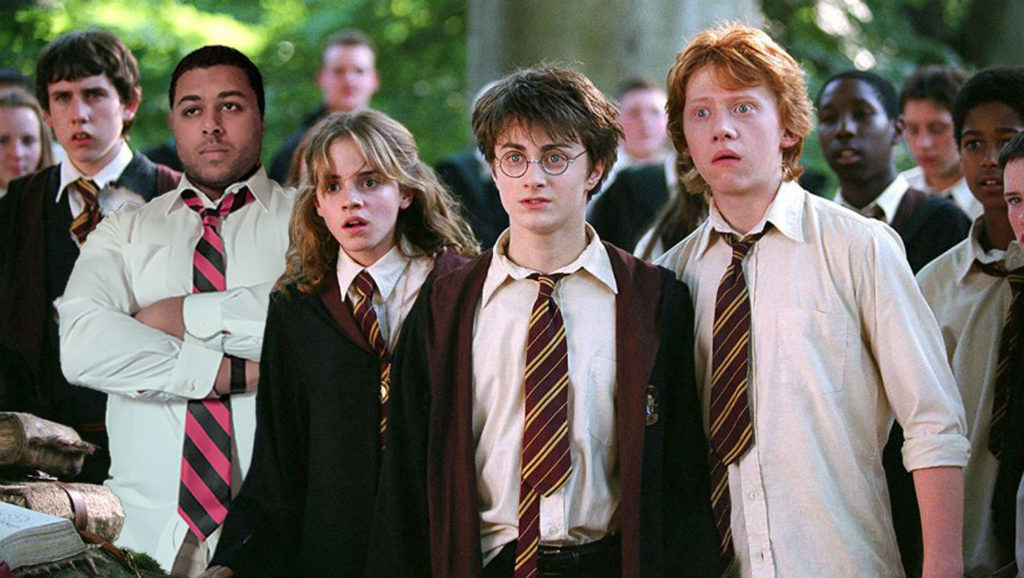
TITLE: Somewhere
MEDIA: Digital Illustration
SOFTWARE: Adobe Photoshop
HARDWARE: MacOS
SPECIFICATIONS: 1500X846px, RGB, 72DPI
CLASS: FMX 210 Digital Media
PROFESSOR: Santiago Echeverry
SEMESTER / TERM: FA 21
INSTITUTION: University of Tampa
LINK: https://mjb7261.blogspot.com/2021/11/somewhere-photoshop.html
DESCRIPTION: Using Adobe Photoshop, I placed myself “somewhere” and mimicked the edits to make it look as realistic as possible. I chose to place myself in one of the Harry Potter movies because I love the Wizarding World and I think I would look good at Hogwarts. I picked out the outfit that best matched what the actors were originally wearing and then took a photo of myself in my apartment hallway. After importing myself into the image I used color correction, texturing, and layering techniques to fit myself into the image as if I was standing next to Hermione.
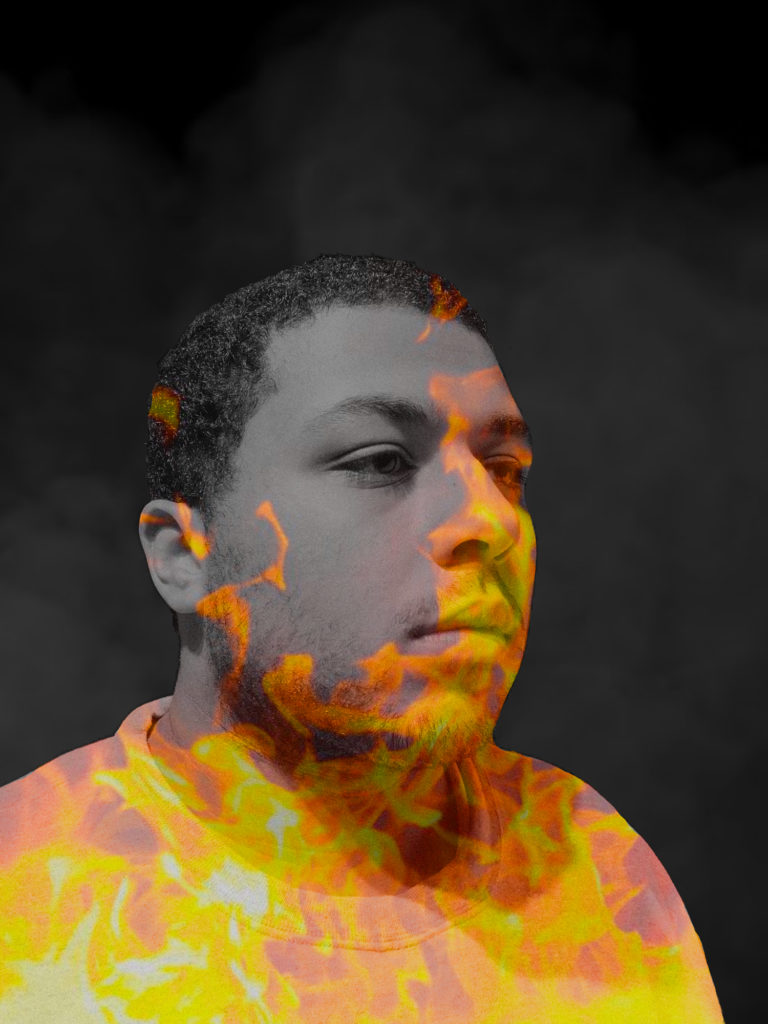
TITLE: Autoscopy
MEDIA: Digital Illustration
SOFTWARE: Adobe Photoshop
HARDWARE: MacOS
SPECIFICATIONS: 1500X2000px, RGB, 72DPI
CLASS: FMX 210 Digital Media
PROFESSOR: Santiago Echeverry
SEMESTER / TERM: FA 21
INSTITUTION: University of Tampa
LINK: https://mjb7261.blogspot.com/2021/11/anxietystress-autoscopy.html
DESCRIPTION: For the Autoscopy project, I had to first take a photo of myself to act as the main component in the illustration. I wanted to show what it feels like when I have an anxiety attack and the best way to do that is to have fire involved since it feels like I’m burning from the inside out. I then used my knowledge in Adobe Photoshop to mask and layer the fire over my body to make it look like the fire is spreading throughout my body. I also added smoke in the background to portray how I feel trapped and there’s no escape when my anxiety attacks happen.