MY ROLE: 3D Animator
SOFTWARE: Autodesk Maya
HARDWARE: Dell XPS 2022
DIMENSIONS: 600 x 800px
CLASS: FMX 217 – 3D Animation 1
PROFESSOR: Marcio Goncalves
SEMESTER: SP 22
INSTITUTION: The University of Tampa
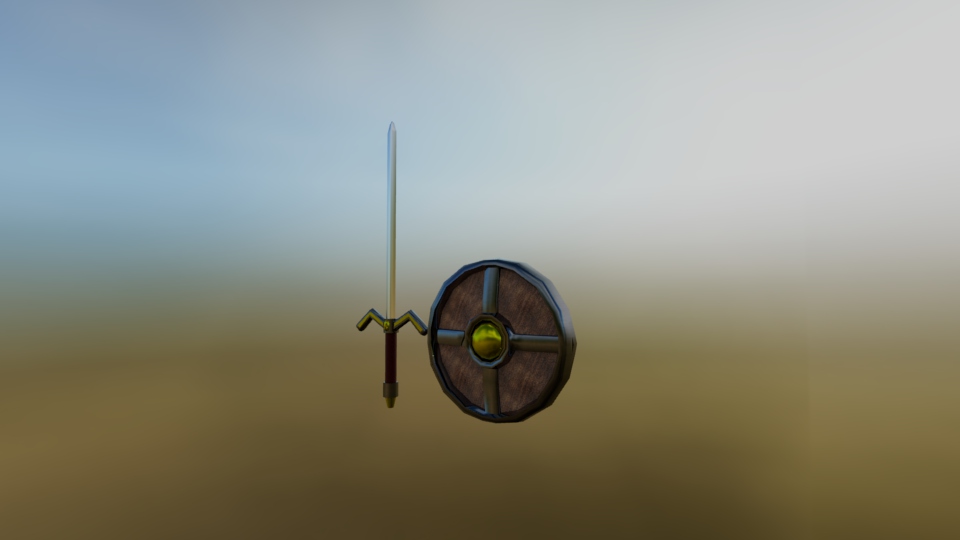
DESCRIPTION: This was easily my favorite project we did in this class. In my opinion this project turned out the best when it came to modeling, coloring and texturing. The hardest part was creating the shield since sometimes the handles would mesh through the rest of the object and would give it issues. Other than that, everything flowed smoothly and was fun to make. Out of the two objects, the sword was the most fun to make and ended up being my favorite.
TITLE: Bomber Man
MY ROLE: 3D Animator
SOFTWARE: Autodesk Maya
HARDWARE: Dell XPS 2022
DIMENSIONS: 600 x 800px
CLASS: FMX 217 – 3D Animation 1
PROFESSOR: Marcio Goncalves
SEMESTER: SP 22
INSTITUTION: The University of Tampa
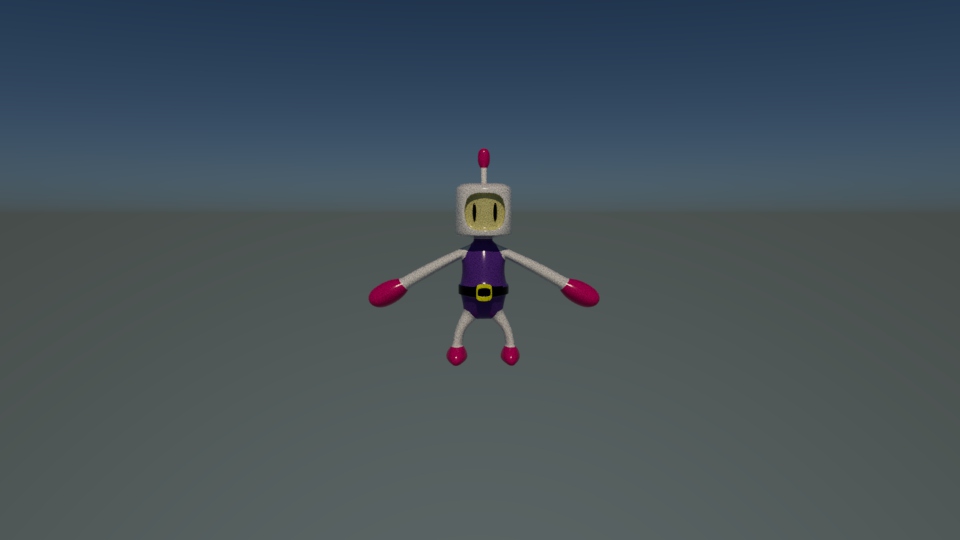
DESCRIPTION: In this project creating this character was a bit different from the others because of the approach we took. The process of building the character was similar to others except with this one, we were able to click a button that rounds and smooths all the faces and edges for us. This method works better for creating rounded objects because it will give you a smoother look. When I was creating the shield for example, I did use this method and ended up running into some issues. Out of all the characters we created in this class, this one turned out to be my favorite.
MY ROLE: 3D Animator
SOFTWARE: Autodesk Maya
HARDWARE: Dell XPS 2022
DIMENSIONS: 600 x 800px
CLASS: FMX 217 – 3D Animation 1
PROFESSOR: Marcio Goncalves
SEMESTER: SP 22
INSTITUTION: The University of Tampa
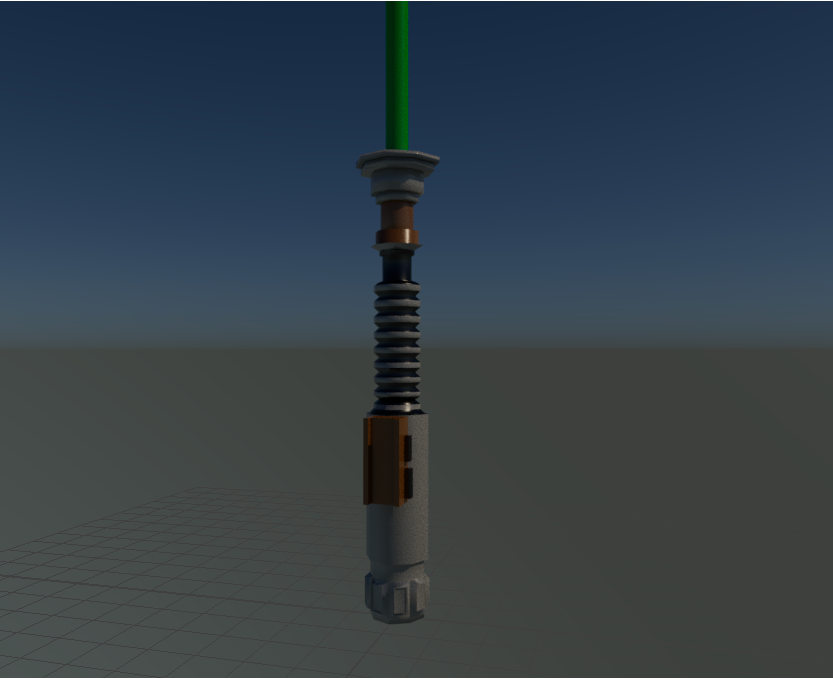
DESCRIPTION: In this project I recreated Luke Skywalker’s lightsaber from the “Star Wars Movies. This was still one of the first projects we did but I wanted to step it up with this one as I felt like I was getting more comfortable with the software. This time around I really wanted to focus on detail which is what I went for in the handle. I had multiple references for this one making sure I didn’t miss a single detail. As a result, it turned a lot better than I thought, the only thing I wish I added was a glow effect on the actual lightsaber part.
MY ROLE: 3D Animator
SOFTWARE: Autodesk Maya
HARDWARE: Dell XPS 2022
DIMENSIONS: 600 x 800px
CLASS: FMX 217 – 3D Animation 1
PROFESSOR: Marcio Goncalves
SEMESTER: SP 22
INSTITUTION: The University of Tampa
DESCRIPTION: This was easily my favorite project we did in this class. In my opinion this project turned out the best when it came to modeling, coloring and texturing. The hardest part was creating the shield since sometimes the handles would mesh through the rest of the object and would give it issues. Other than that, everything flowed smoothly and was fun to make. Out of the two objects, the sword was the most fun to make and ended up being my favorite.
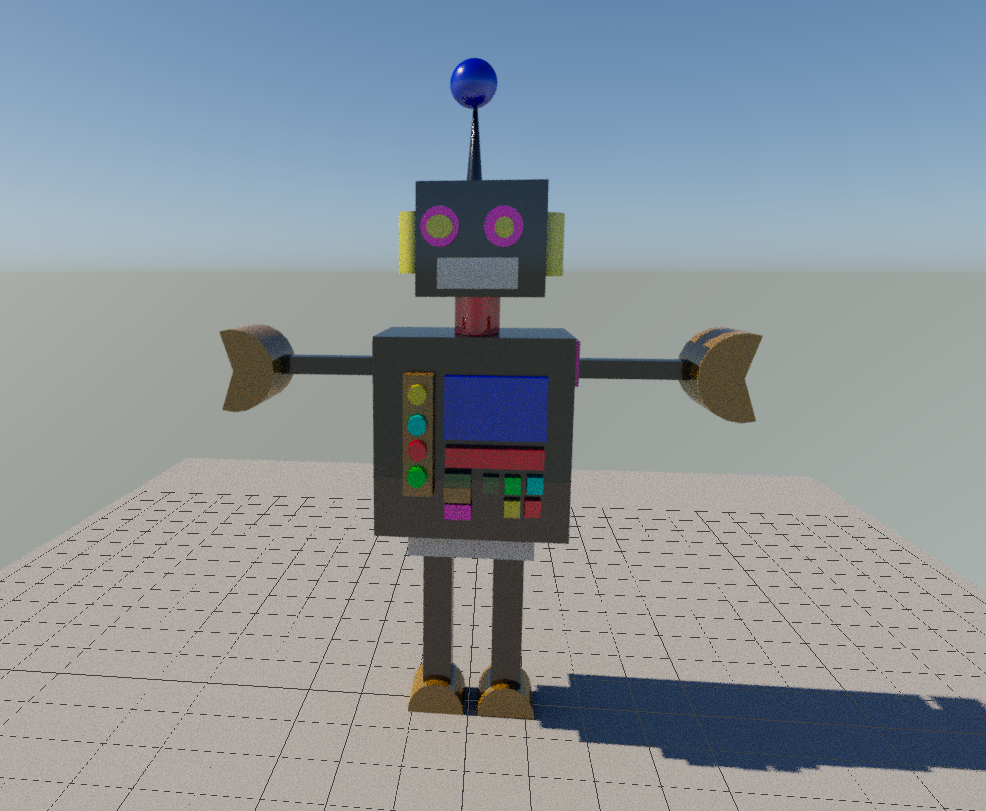
TITLE: Robot
MY ROLE: 3D Animator
SOFTWARE: Autodesk Maya
HARDWARE: Dell XPS 2022
DIMENSIONS: 600 x 800px
CLASS: FMX 217 – 3D Animation 1
PROFESSOR: Marcio Goncalves
SEMESTER: SP 22
INSTITUTION: The University of Tampa
DESCRIPTION: I started to feel a bit comfortable with Maya during this assignment. This is when we started to learn more about the ways of modeling and extruding objects. In the train project, I was taking multiple different shapes and compiling them together, but for the robot, it was mostly made out of one cube. I also tried experimenting with different colors in this one.
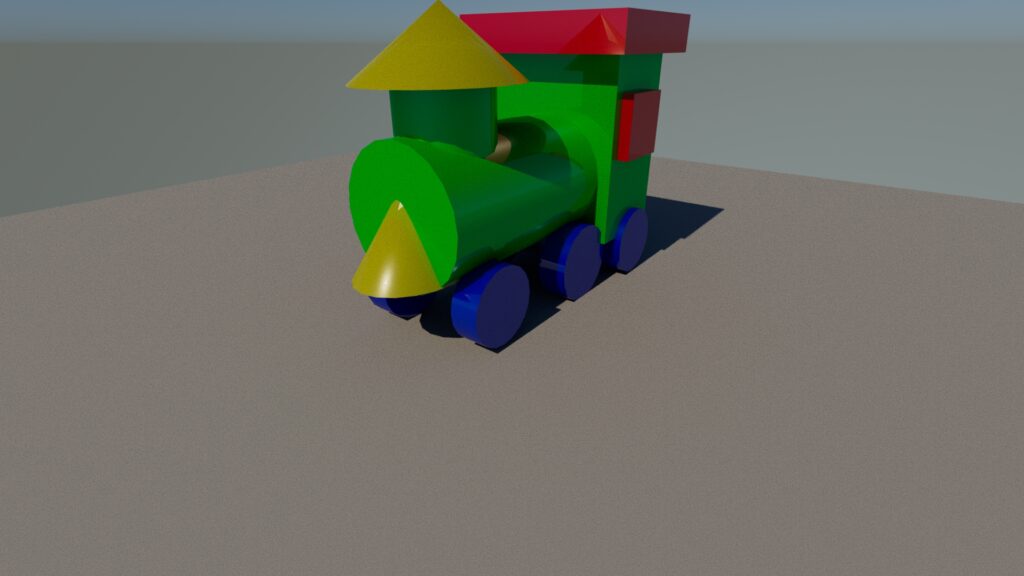
TITLE: Basic Wooden Train
MY ROLE: 3D Animator
SOFTWARE: Autodesk Maya
HARDWARE: Dell XPS 2022
DIMENSIONS: 600 x 800px
CLASS: FMX 217 – 3D Animation 1
PROFESSOR: Marcio Goncalves
SEMESTER: SP 22
INSTITUTION: The University of Tampa
DESCRIPTION: This was the first project we did in this class. The goal was to make a basic train and learn how to color objects. The software looked really confusing at first, but after learning how this was made it wasn’t so bad. The train is simpler than it looks as it’s made out of different shapes all put together. In other projects it was common to start with a cube and build the mesh from that, but with this it was taking different shapes and piecing them together.