Adobe Illustrator
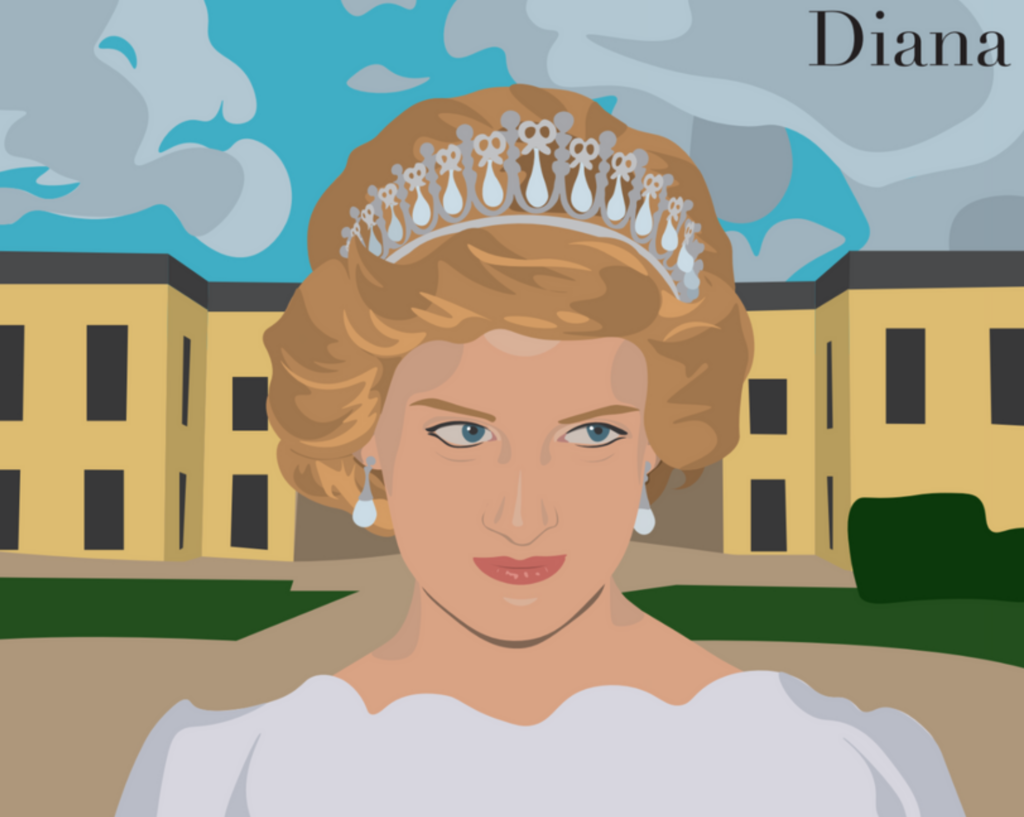
TITLE: Princess Diana
MEDIA: Digital Illustration
SOFTWARE: Adobe Illustrator
HARDWARE: Macbook Air
SPECIFICATIONS: 792px x 612px, CMYK
CLASS: FMX 207 Digital Drawing
PROFESSOR: Chip Neville
SEMESTER / TERM: FA 21
INSTITUTION: University of Tampa
DESCRIPTION: This illustration was made using the pen tool in Adobe Illustrator and presents Princess Diana standing in front of her royal courtyard.
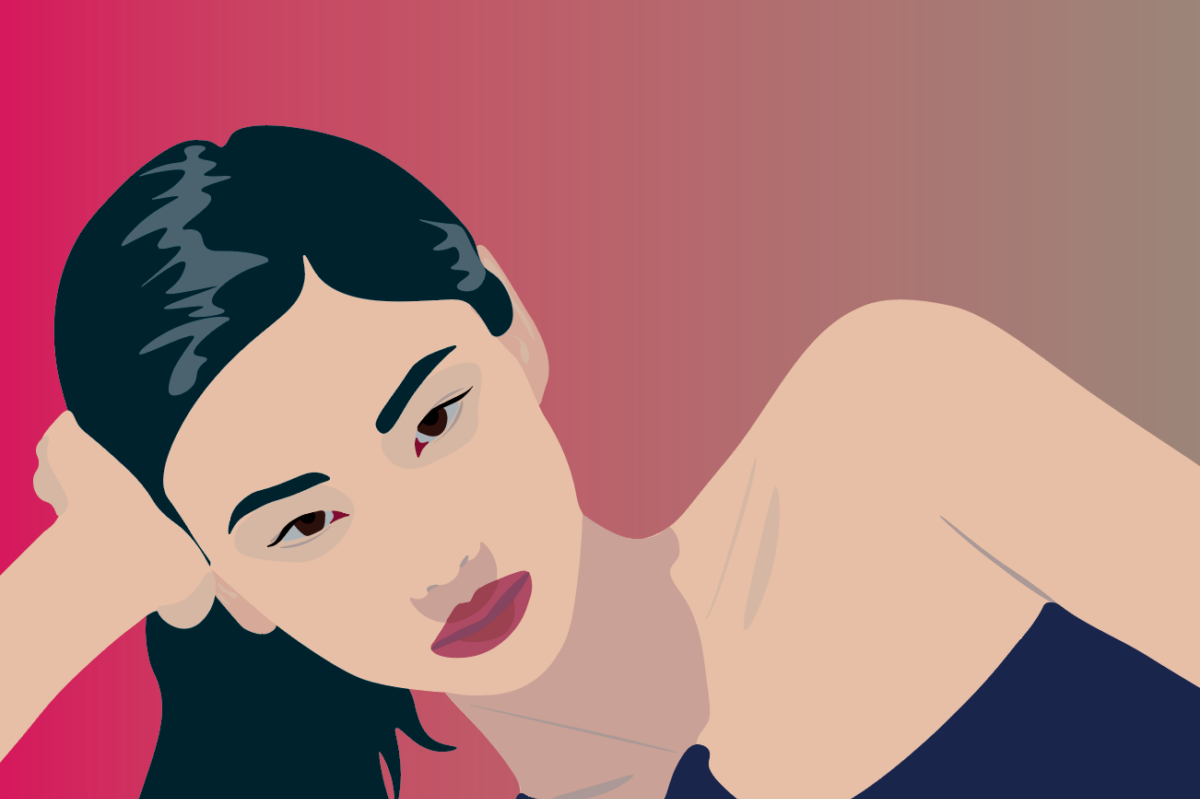
TITLE: PAPER GIRL
MEDIA: Digital Illustration
SOFTWARE: Adobe Illustrator
HARDWARE: Macbook Air
SPECIFICATIONS: 792px x 612px, CMYK
CLASS: FMX 207 Digital Drawing
PROFESSOR: Chip Neville
SEMESTER / TERM: FA 21
INSTITUTION: University of Tampa
DESCRIPTION: This illustration was made using the pen tool in Adobe Illustrator and presents actress Jung HoYeong. This image is titled “PAPER GIRL,” as I believe the shadows and contrast make it look as if she is made of paper.

TITLE: Baroque
MEDIA: Digital Illustration
SOFTWARE: Adobe Illustrator
HARDWARE: MacOS
SPECIFICATIONS: 792px x 612px, CMYK
CLASS: FMX 207 Digital Drawing
PROFESSOR: Chip Neville
SEMESTER / TERM: FA 21
INSTITUTION: University of Tampa
DESCRIPTION: This illustration was made using the pen tool in Adobe Illustrator and showcases a woman’s side profile, who is wearing a hair piece with a mesh design.
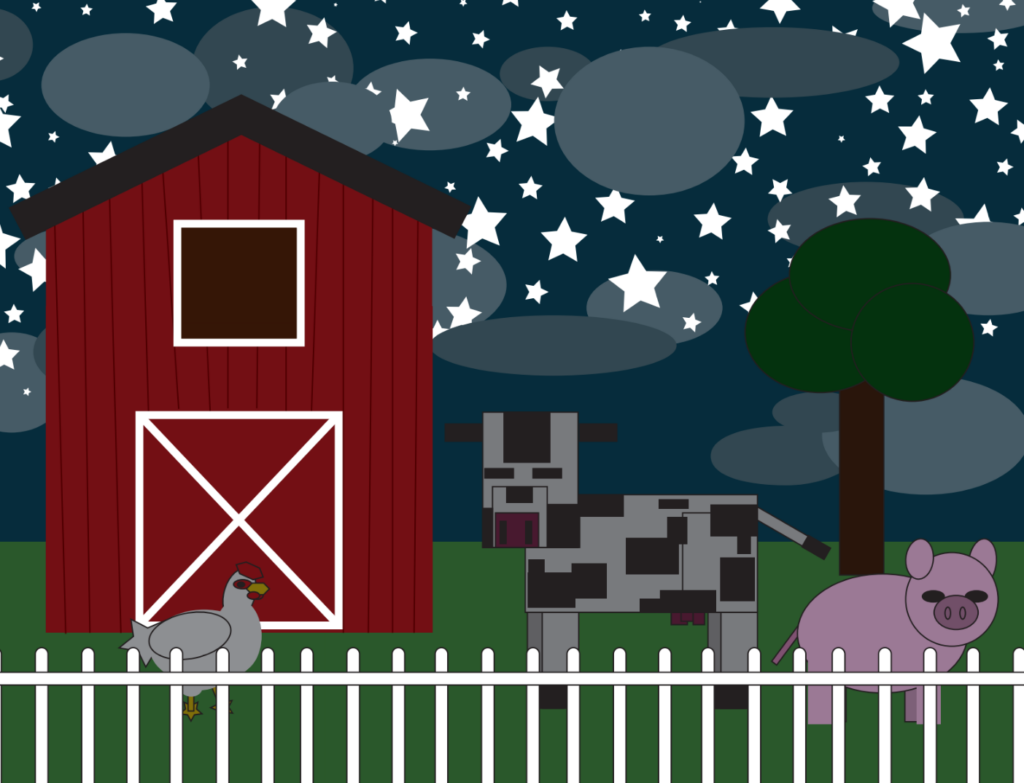
TITLE: The Night Farm
MEDIA: Digital Illustration
SOFTWARE: Adobe Illustrator
HARDWARE: MacOS
SPECIFICATIONS: 792px x 612px, CMYK
CLASS: FMX 207 Digital Drawing
PROFESSOR: Chip Neville
SEMESTER / TERM: FA 21
INSTITUTION: University of Tampa
DESCRIPTION: This illustration was made using different shape tools in Adobe Illustrator. This captures a night scene of a farm, with a pig, chicken, and cow still awake and walking along the grass.

TITLE: Character Trace
MEDIA: Digital Illustration
SOFTWARE: Adobe Illustrator
HARDWARE: MacBook Air
SPECIFICATIONS: 792px x 612px, CMYK
CLASS: FMX 210 Digital Media
PROFESSOR: Christopher Christian
SEMESTER / TERM: FA 21
INSTITUTION: University of Tampa
DESCRIPTION: This illustration was made using the pen tool in Adobe Illustrator. For this assignment, we were able to trace over any character we wanted to in order to learn how to use the pen tool. I chose to trace over Izuku Midoriya from the popular anime “My Hero Academia.”
Adobe Photoshop
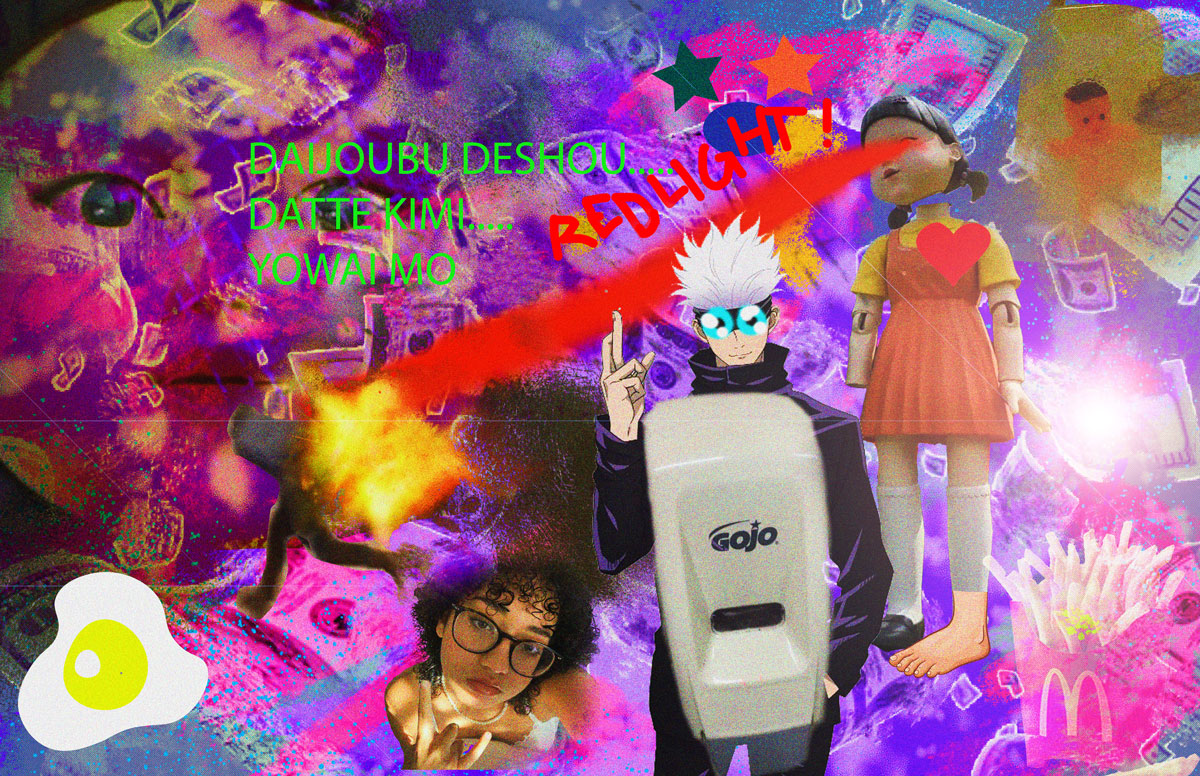
TITLE: Bad Art
MEDIA: Digital Collage
SOFTWARE: Adobe Photoshop
HARDWARE: MacOS
SPECIFICATIONS: 1200px x 776px, RGB
CLASS: FMX 210 Digital Media
PROFESSOR: Christopher Christian
SEMESTER / TERM: FA 21
INSTITUTION: University of Tampa
DESCRIPTION: This photo collage was made in Adobe Photoshop. It uses masking, layers, the brush tool, the text tool, blending modes, and adjustment changes. The assignment was to make “bad art” using Photoshop, so I used the boldest, brightest colors, high saturation and sharpening, and images that do not go together.

TITLE: Basebomb
MEDIA: Digital Photo Manipulation
SOFTWARE: Adobe Photoshop
HARDWARE: MacOS
SPECIFICATIONS: 1200px x 711px, RGB
CLASS: FMX 207 Digital Drawing
PROFESSOR: Chip Neville
SEMESTER / TERM: FA 21
INSTITUTION: University of Tampa
DESCRIPTION: The assignment was to create a fake sports image, so I manipulated a picture of a batter swinging a ball to make a more extreme version of baseball. Instead of a bat, he carries a chainsaw, and instead of hitting a ball, he is hitting a grenade.
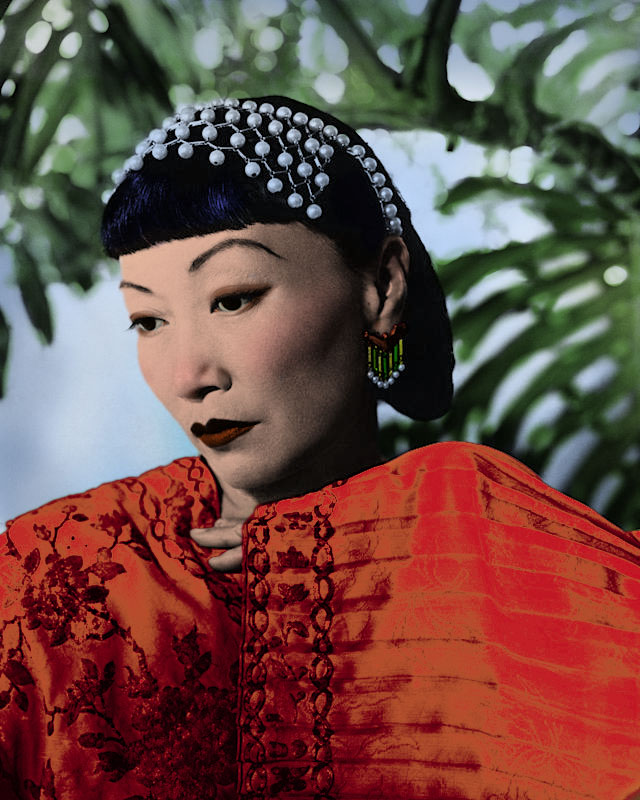
TITLE: Lady Fair
MEDIA: Digital Photo Manipulation
SOFTWARE: Adobe Photoshop
HARDWARE: MacOS
SPECIFICATIONS: 640px x 800px, RGB
CLASS: FMX 207 Digital Drawing
PROFESSOR: Chip Neville
SEMESTER / TERM: FA 21
INSTITUTION: University of Tampa
DESCRIPTION: This photo was manipulated using Adobe Photoshop. The original photo is in black and white– I added color to it using the multiply effect, layers, and the brush tool.
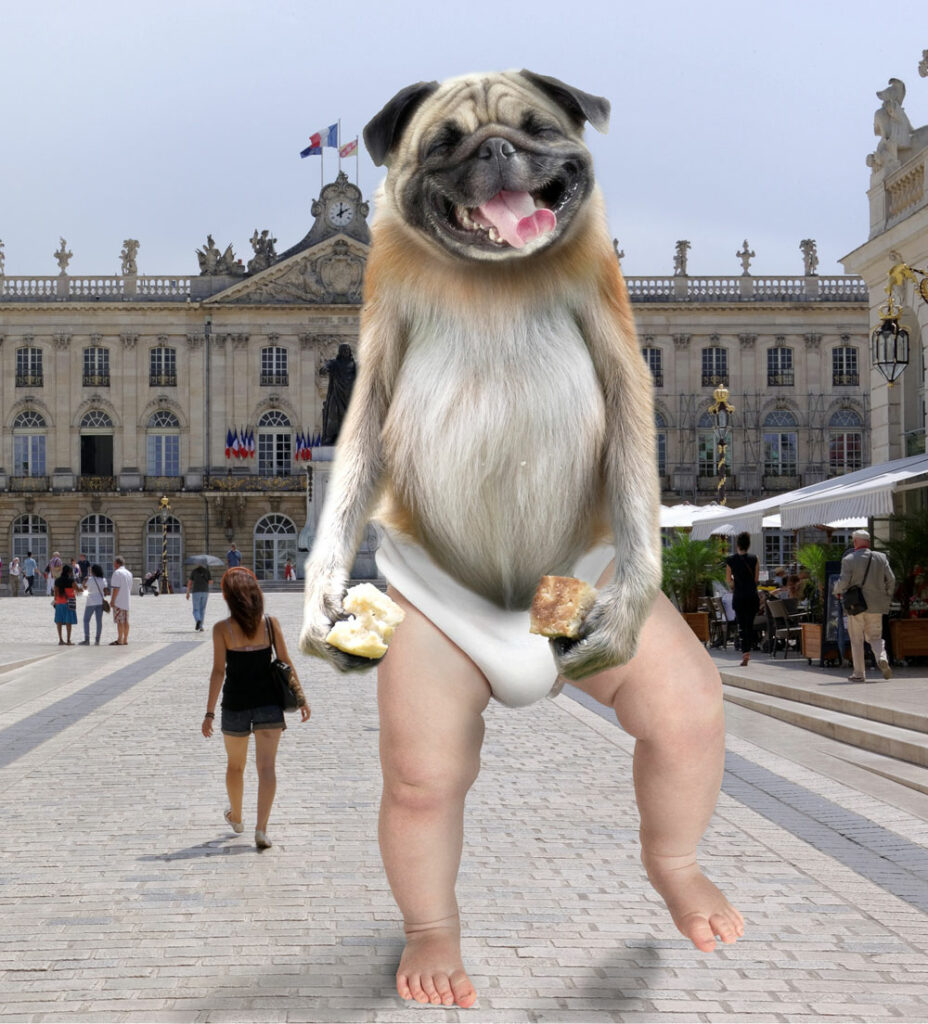
TITLE: Puppy Monkey Baby
MEDIA: Digital Photo Manipulation
SOFTWARE: Adobe Photoshop
HARDWARE: MacOS
SPECIFICATIONS: 1000px x 1104px, RGB
CLASS: FMX 207 Digital Drawing
PROFESSOR: Chip Neville
SEMESTER / TERM: FA 21
INSTITUTION: University of Tampa
DESCRIPTION: This photo was manipulated using Adobe Photoshop by masking together the head of a dog, the torso of a monkey, and the legs of a baby. I added shadows and light on a separate layer using the brush tool and layer mode adjustments.
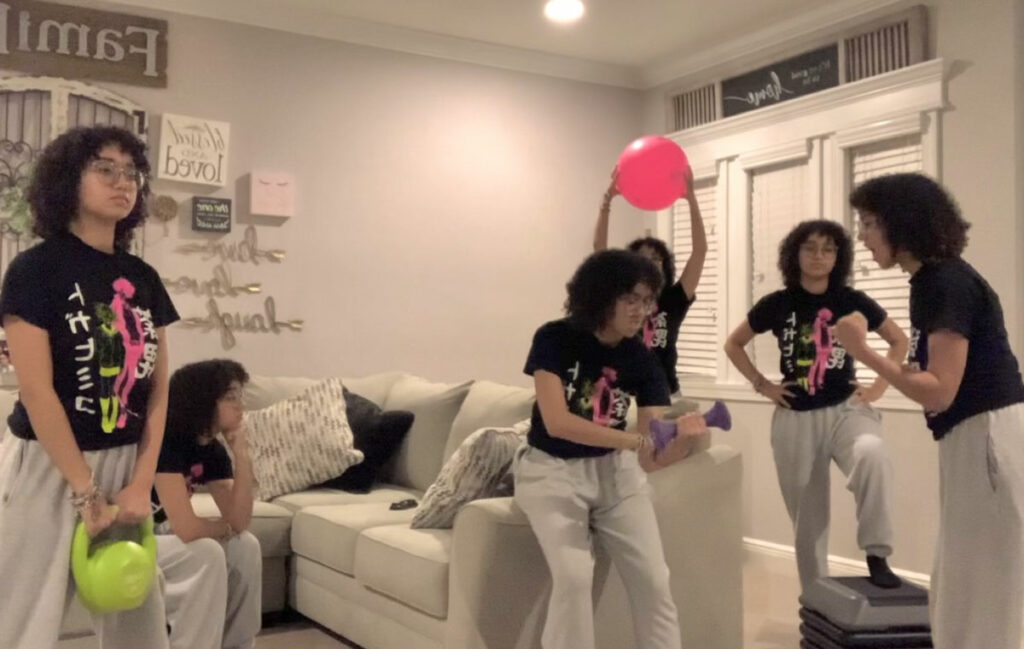
TITLE: Fake Fitness Group
MEDIA: Digital Photo Manipulation
SOFTWARE: Adobe Photoshop
HARDWARE: MacBook Air
SPECIFICATIONS: 1200px × 760px, RGB
CLASS: FMX 210 Digital Media
PROFESSOR: Christopher Christian
SEMESTER / TERM: FA 21
INSTITUTION: University of Tampa
DESCRIPTION: This multiplicity project was created taking multiple images of myself performing different fitness activities around the room. I masked each image and layered them together in Adobe Photoshop.